Real Piano For Pianists
RhythmMakers StudioMusic
3.854.00 Reviews
- Version
- 9.0
- Installs
- 5.00M
- Age Rating
- Everyone
Screenshots
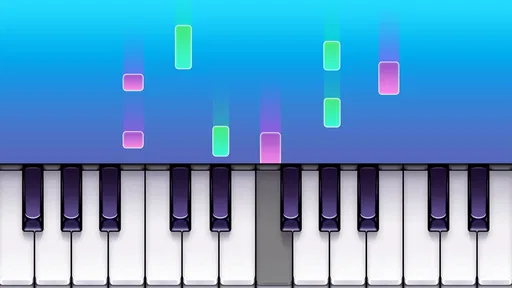
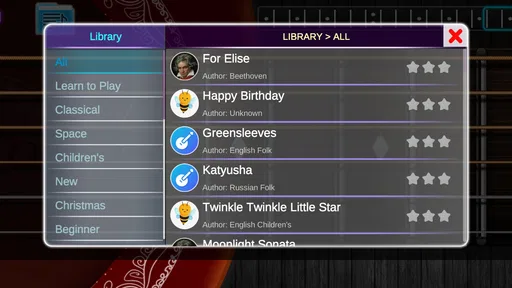
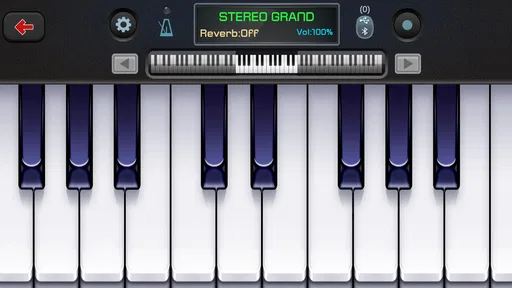
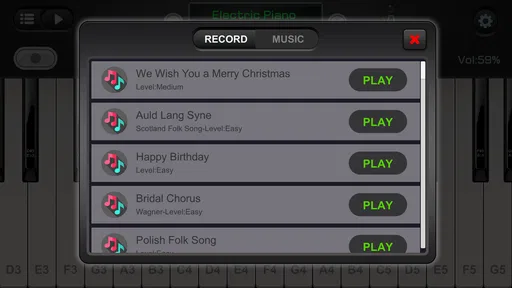
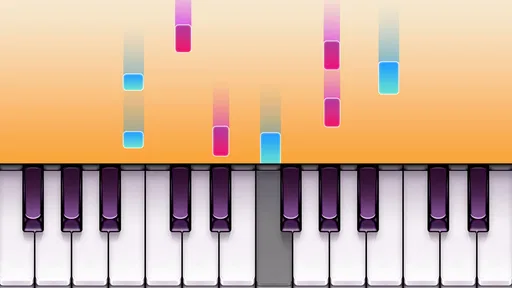
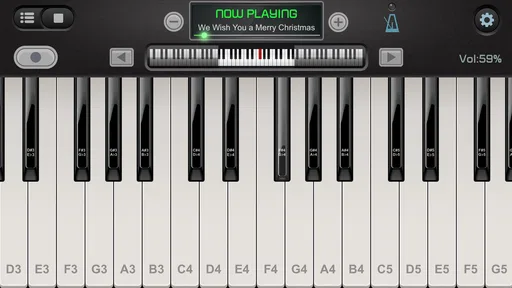
Our Review of Real Piano For Pianists
 Analysis by Appyee
I approached Real Piano For Pianists as a practical music game rather than a replacement for a physical keyboard. Its central idea is simple: turn a phone or tablet into a playable piano and let me build familiarity through touch, repetition, and short sessions. That simplicity is the main attraction, but it also sets a clear boundary. The experience works best when I want an accessible way to practise piano-style playing, explore notes, or keep my fingers active, not when I need the depth and response of dedicated music software.
Developed by RhythmMakers Studio, this free music game is aimed at Everyone and runs on Android devices using version 7.0 or later. It has grown into a widely installed option, with over five million installs, although its average score of 3.8 from around three thousand ratings suggests that players have mixed expectations. I think that is fair. The app can be useful and enjoyable, but the quality of the experience depends heavily on the screen size, the way I use it, and whether I treat it as a focused practice tool instead of expecting a complete piano studio.
How I built a useful everyday routine
My most reliable workflow started with a modest goal: play for a few minutes without trying to master an entire song or imitate a real instrument perfectly. I opened the keyboard, chose a comfortable position, and concentrated on finding notes cleanly. That approach made the game feel less like a novelty and more like a pocket practice surface.
On a phone, I found it easier to work on small patterns than broad two-handed passages. A narrow display makes it harder to see several octaves at once, and my fingers can cover neighbouring keys quickly. Instead of forcing a complicated arrangement, I used short sequences, repeated them slowly, and moved my hand only when the pattern felt familiar. This is a useful habit for beginners because it turns the limited screen into part of the exercise rather than something to fight.
A tablet changes the balance. The larger surface gives my hands more room and makes it more realistic to play simple melodies while keeping the notes visible. Even then, I would not confuse screen width with the feel of a full keyboard. A physical piano offers key travel, resistance, and more dependable spacing. Real Piano For Pianists gives me visual access and touch input, but it cannot reproduce that physical feedback.
The best everyday scenario for me was a short break when I wanted to review a melody without carrying an instrument. I could sit with headphones, play the phrase several times, and stop before the session became tiring. That makes the app especially suitable for casual learners, people returning to piano after a long pause, and anyone who wants a low-pressure way to remember note positions.
I also found that separating listening from playing improved the routine. First, I focused on the shape of the phrase and where my hand needed to move. Then I repeated it while paying attention to timing. Finally, I tried it without looking at every finger. This three-stage habit is more valuable than simply tapping quickly, because it encourages recognition and consistency.
The most useful mindset is to treat each session as a small, repeatable exercise. A free mobile piano can easily become something I open for thirty seconds and abandon. Giving each visit a purpose—locating notes, repeating a phrase, or testing coordination—makes the limited interface much more productive.
Who will get the most from the basic experience
Beginners are the clearest audience. Someone who has never touched a piano can use the visual keyboard to become familiar with the order of notes and the idea of moving across a scale. The app also suits curious users who want to experiment before buying a keyboard or committing to formal lessons. Since it is free, the barrier to trying it is low, and the age rating makes it approachable for family use.
It can also help an experienced pianist in a narrow way. I would use it for mental recall, checking a melody, or keeping a simple pattern fresh while travelling. I would not use it to judge subtle dynamics, practise serious repertoire, or replace a proper instrument. The screen is convenient, but convenience is not the same as expressive control.
Users who need structured lessons, detailed notation, recording tools, or a realistic digital workstation should look elsewhere. The short description, “Real Piano,” captures the main interaction, but it should not be read as a promise of a complete learning system. This is fundamentally a touch-based piano game, and its strengths come from immediacy rather than comprehensive instruction.
Settings and habits that make the keyboard easier to use
Before playing seriously, I recommend spending a few minutes checking every available control instead of accepting the initial setup. The most important question is not which option looks impressive; it is whether the keyboard feels readable and manageable on the device in hand. A phone held too close, too far, or at an awkward angle can make accurate tapping more difficult than the game itself.
I prefer a stable landscape position when the screen allows it, because it gives my hands a more natural spread. On a smaller device, portrait use may feel less intimidating for single-note melodies, but it also encourages cramped movements. The right orientation depends on the passage. For quick note-finding, compact can be convenient. For repeated patterns, more horizontal room is usually easier to control.
Sound is another setting worth treating as part of the workflow. I kept the volume high enough to hear mistakes without making the session uncomfortable, and I used headphones when I needed to concentrate in a shared space. Headphones can make timing feel clearer, but they can also hide how loud the device is to people nearby. That matters if the app is used during a commute, in a classroom, or beside someone who is resting.
Touch accuracy deserves a practical check. I tested the same short sequence near the centre of the keys and then closer to their edges. If my fingers landed inconsistently, I slowed down rather than assuming the pattern was wrong. On a small screen, the difference between a clean tap and an accidental neighbour can be tiny, especially when several fingers are moving together.
A useful advanced habit is to keep the device still. Resting it on a flat surface or using a secure grip reduces the small shifts that make repeated tapping feel unreliable. This sounds obvious, but it changes the experience more than chasing speed. When the keyboard moves under my hands, I tend to blame the input; when the device is stable, I can tell whether the real problem is timing or finger placement.
I also recommend adjusting expectations around multitouch. A phone screen is not a physical keybed, and simultaneous touches may feel less natural than on a full instrument. I began with one note at a time, then added a second note only after the first pattern felt controlled. This avoids turning a coordination exercise into random collisions between fingertips.
Small preparation choices that prevent frustration
Battery level, notifications, and hand position all influence a short session. I prefer to silence interruptions before starting, especially when repeating a phrase. A notification arriving during a pattern can break concentration and make the app feel less responsive than it really is. The same applies to rotating the device mid-session: locking into one position keeps the visual layout predictable.
For younger players, I would begin with supervised exploration rather than leaving the app to explain itself. The simple interface is inviting, but a child may benefit from a clear challenge such as finding a group of notes or repeating a rhythm slowly. For adults, a written goal on a small note beside the phone can have the same effect. The point is to turn open-ended tapping into a measurable personal task without pretending the app provides a full course.
There is also a financial detail worth keeping in mind. The game is free to start, while in-app purchases are listed at $4.99 per item. I would decide in advance whether optional spending fits my use, rather than buying impulsively during an exploratory session. For someone only testing mobile piano play, the free entry is the important advantage. For someone considering repeated use, it is sensible to judge the core experience first.
Faster patterns without losing control
Speed was the easiest way for me to make the app feel less useful. Tapping faster creates the impression of progress, but it often hides uneven timing and accidental notes. I got better results by dividing patterns into small groups and pausing briefly between them. Once each group felt dependable, I connected them without increasing the tempo immediately.
One effective method is to practise the movement rather than the whole melody. If a phrase requires moving from one area of the keyboard to another, I repeated that transition on its own. This exposed the real difficulty: not the number of notes, but the moment when my hand had to relocate. On a mobile screen, that kind of spatial memory is particularly important because the visible keyboard can be more limited than the range I imagine.
I also used a “look, play, recall” cycle. I looked at the note positions for the first attempt, played the phrase while watching less closely on the second, and then tried to reproduce the shape from memory. This gave the session a progression without requiring a formal lesson mode. It is a simple technique, but it prevents me from becoming dependent on staring at every key.
For two-handed work, I recommend assigning separate roles rather than trying to perform a complete arrangement immediately. One hand can repeat a simple foundation while the other explores the melody. If the screen becomes crowded, I would simplify the lower part instead of forcing both hands across the full layout. The trade-off is obvious: the result may sound less complete, but the exercise remains playable and teaches coordination.
Another non-obvious benefit is using the app as a pre-practice warm-up. Before sitting at a real piano, I can mentally rehearse a short sequence on the screen and notice where I hesitate. That does not replace physical practice, but it helps identify the notes that deserve attention. It is particularly handy when I remember the sound of a phrase but not its exact starting position.
Short sessions are also better for accuracy. My fingers become less precise when I continue after concentration has faded, and the touchscreen gives little physical feedback to correct that decline. I would rather repeat a clean pattern several times than finish a long, messy run. This is where the game format can work in its favour: opening it for a focused burst feels more realistic than scheduling a full piano lesson.
Where the game format helps—and where it does not
The game-like accessibility makes experimentation comfortable. I can try a melody without worrying about disturbing a room with a full acoustic instrument, and I can stop immediately when the exercise stops being useful. That makes it a good companion for discovery. It is less convincing as a substitute for a teacher, because a teacher can hear tension, correct posture, and adapt an exercise to a specific weakness.
Compared with a physical keyboard, this app wins on portability and cost, but loses on touch response and range. Compared with a dedicated piano-learning app, it is more direct and less demanding, but it may offer less structure for someone who needs a curriculum. Compared with a simple online keyboard, it has the advantage of being a game rather than just a blank instrument, although users seeking recording, composition, or professional sound design should choose a more specialised tool.
Advanced limits and the point where another option is better
After using the app as a regular practice surface, its limits became clearer. The largest is expressive control. Real piano playing depends on more than selecting the right notes: volume, pressure, timing, sustain, and physical response all shape the result. A touchscreen can represent the notes, but it does not give me the same relationship between finger movement and sound.
Screen size is the next constraint. A tablet is more comfortable, but it is still a flat glass surface. On a phone, chords and wide intervals can become awkward, and my fingers can obscure the keys I need to see. If the aim is to develop reliable hand spacing for a real piano, I would move to a physical keyboard as soon as that becomes practical.
The app is also not the right choice for a user who wants a detailed record of progress. I would not install it expecting a complete practice diary, lesson plan, or professional composition workflow. Its value comes from immediate play and repetition. If I need organised repertoire, notation, feedback, or a clear sequence of skills, a dedicated learning platform will likely be a better investment of time.
In-app purchases create another decision point. The free version makes trying the experience easy, but the listed price of $4.99 per item means that optional purchases should be considered as part of the long-term cost. I would only spend after confirming that the keyboard itself fits my routine. Paying for extras cannot solve the physical limitations of a small touchscreen, so the purchase decision should be based on convenience and enjoyment, not on hopes of turning the phone into a full piano.
Performance expectations should remain practical too. Older compatible devices may provide a less comfortable playing experience than newer hardware, particularly if the display is small or touch input feels delayed. I would test a simple repeated pattern before attempting anything demanding. If notes consistently feel late or taps are misread, the problem may be the device setup rather than my technique, and a different instrument would be the more sensible answer.
Experienced users can still get value by narrowing the goal. I used the app most successfully for note mapping, melody recall, and coordination drills. I did not ask it to evaluate my musicianship. That distinction prevents disappointment and creates a repeatable role for the game alongside, rather than instead of, a real instrument.
My verdict after making it part of a routine
Real Piano For Pianists is a convenient entry point into piano-style play, and I can recommend it to someone who wants a free, approachable way to explore melodies on Android. Its broad availability, Everyone rating, and support for Android 7.0 or later make it easy to try, while the millions of installs show that the concept has reached a substantial audience. The 3.8 average tells me to keep expectations balanced: this is useful pocket practice, not a flawless digital piano.
My strongest recommendation is for beginners, casual players, travelling musicians who need a quick note reference, and former learners who want to rebuild familiarity. I would suggest using a stable device position, checking the sound and layout before practising, starting with short patterns, and increasing complexity only when the notes remain clean. Those habits bring out the app’s real strength: making a small amount of focused practice easy to begin.
I would steer serious pianists, composers, and students following a structured curriculum toward a physical keyboard or a specialised learning app. They will need tactile response, broader range, stronger feedback, or more organised tools than this game is designed to provide. Even for them, it can still serve as a lightweight warm-up or a way to recall a phrase away from the instrument.
Ultimately, I like the app most when I use it within its limits. It is not trying to replace the entire piano experience in my daily routine; it gives me a portable surface for repetition and musical curiosity. If that matches what you need, the free starting point makes it worth exploring. If you want serious technique development or studio-level control, choose another option and let this remain a simple companion rather than your main instrument.
Privacy and Permissions
See what permissions an app requests and how it handles your data.
- Location
- precise location (GPS and network-based)
- Wi-Fi connection information
- view Wi-Fi connections
- Other
- view network connections, pair with Bluetooth devices, access Bluetooth settings, full network access, control vibration, prevent device from sleeping, Google Play license check
Verdict
Strengths of Real Piano For Pianists
- Realistic piano sound with responsive touch controls.
- Useful for practicing scales, chords, and simple melodies anywhere.
- Supports headphones for quieter practice sessions.
- Simple interface that beginners can learn quickly.
- Suitable for casual playing without needing a physical keyboard.
Limitations of Real Piano For Pianists
- The on-screen keys can feel cramped on smaller phones.
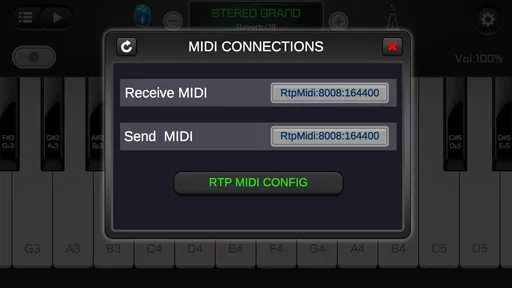
- Advanced players may miss professional recording and MIDI tools.
- Some features may require in-app purchases or display ads.
- Touch input cannot fully match the feel of weighted piano keys.
- Performance may vary depending on the device’s audio latency.
Similar Picks in This Category
View All
Tiles Hop Music & Ball Game
AMANOTES PTE. LTD.4.3

Magic Tiles 3™ - Piano Game
AMANOTES PTE. LTD.4.6

Real Piano
Bilkon3.7

Piano Game: Classic Music Song
Dream Tiles Piano Game Studio4.0

Smash Colors: Music Ball Rush
BADSNOWBALL HONGKONG LIMITED4.2

Piano Music Go-EDM Piano Games
Joy Journey Music Games4.5
Frequently Asked Questions
What is Real Piano For Pianists?
Real Piano For Pianists is a mobile piano simulator designed for users who want to practice, play, or experiment with piano sounds on an Android or iOS device. It provides an on-screen keyboard with playable notes and commonly includes features such as different sound options, recording tools, and lesson-oriented controls. It is useful for beginners, casual players, and pianists who want a portable practice instrument.
Is Real Piano For Pianists suitable for beginners?
Yes, the app can be useful for beginners because it lets you become familiar with note positions, scales, chords, and simple melodies without needing access to a physical piano. The touch keyboard is easy to understand, although new users may need time to adjust to the smaller screen. It works best for basic practice and learning rather than replacing structured piano lessons.
Can I use Real Piano For Pianists without a physical piano?
You can use Real Piano For Pianists as a convenient virtual instrument without owning a real piano or keyboard. The app allows you to tap notes directly on your phone or tablet, making it practical for quick practice while traveling or when space is limited. However, the touch experience cannot fully reproduce the weight, sensitivity, sound quality, and expressive control of an acoustic or digital piano.
Does Real Piano For Pianists include lessons, songs, or recording features?
The available features may vary depending on the version of Real Piano For Pianists and the device you use. Users should check the current app listing to confirm whether it includes guided lessons, song tutorials, chord references, multiple instruments, or recording and playback tools. These features can make practice more enjoyable, but the app should be viewed as a supplementary learning tool rather than a complete piano course.
Is Real Piano For Pianists free to download and safe to use?
Real Piano For Pianists may be available as a free download, although some versions can include advertising, optional purchases, or locked premium functions. Before installing it, review the official Google Play Store or Apple App Store listing for the latest pricing, permissions, developer information, and privacy details. Downloading only from an official store is the safest option and helps reduce the risk of modified or unsafe copies.
Play our best games!


